
Eva · AI structural engineer
Become a
10x structural
engineer.
Eva is an AI that reads your drawings, builds the BIM model, runs the FEA analysis, checks the results and drafts the report. One great engineer with Eva delivers what used to take a whole team.
Meet Eva
An AI colleague, not another tool.
The 10x structural engineer
Don't grow the team.
Multiply your best engineer.
More work usually means hiring more drafters and engineers, then training, coordinating and checking them. With Eva, your strongest engineer stays on judgement and design decisions while Eva does the hours of extraction, modelling, analysis set-up and documentation.
Growing the team ≈ $445k / yr
- Months to hire and onboard each person
- Lead engineer's time goes into coordination and checking
- Model, calcs and report drift apart
- Knowledge walks out when people leave
One engineer + Eva no new hires
- Eva starts on day one, in BIM and FEA software
- The engineer reviews and decides instead of redrawing
- Model, data and report stay consistent and sourced
- Project decisions are remembered in every conversation
Team cost: two engineers at $100k and two drafters at $65k, plus 35% for benefits, payroll tax and overhead. These figures are illustrative; put in your own below.
How Eva works
From drawings to a checked report.
Step by step, with you in charge. Eva follows the workflow a careful engineer would, and each step is a skill your team can run, review and repeat.
Extract
Geometry, sections, materials and loads are pulled from existing models, PDFs and reports into tables, each with its source.
/extractDesign basis
Codes, materials, loads and criteria are written up for your approval. Anything missing is listed as additional information required from the client.
/design-basis · /questionsAnalyse in FEA
In your FEA solver (ETABS, SAP2000 or RISA-3D), loads and load combinations are applied and the analysis runs for any scenario you choose.
/loads · /analyseModel in BIM
The model is built in your BIM software (like Revit) with materials assigned, ready to go.
/model-[software]Check & verify
Load balance, drifts, modal behaviour and outliers are checked, with independent hand calcs and a checker-style review.
/check · /hand-calc · /reviewReport
A clean, easy-to-read report for your client with every assumption and every option checked, so there is no doubt you made the best decision.
/report · /milestoneReal deliverables
This is what Eva hands your engineer.
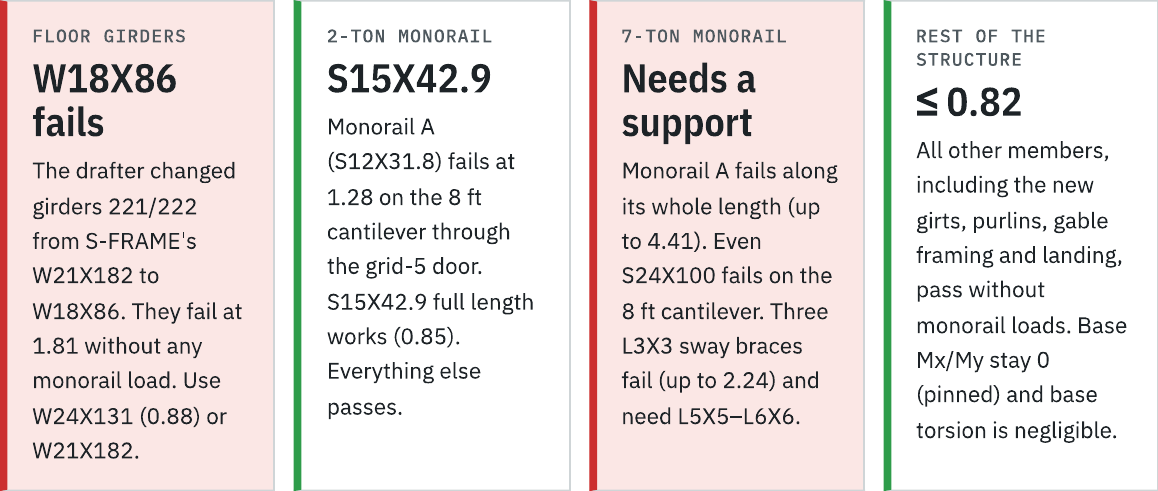
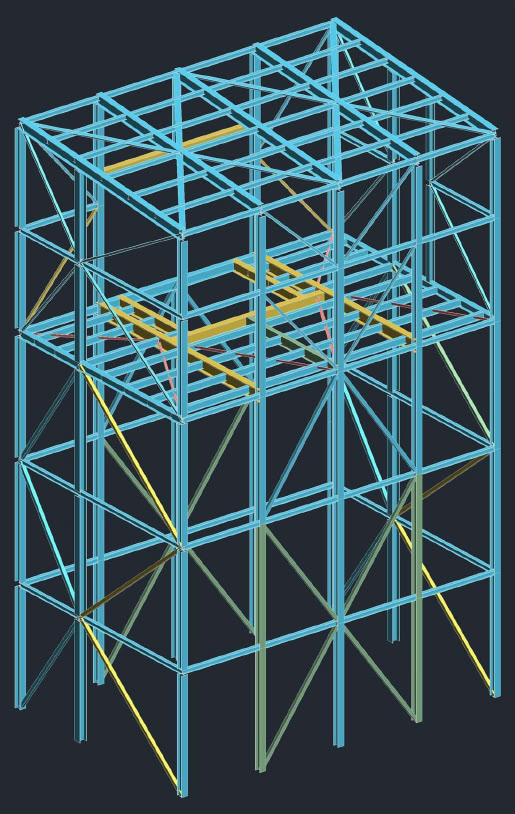
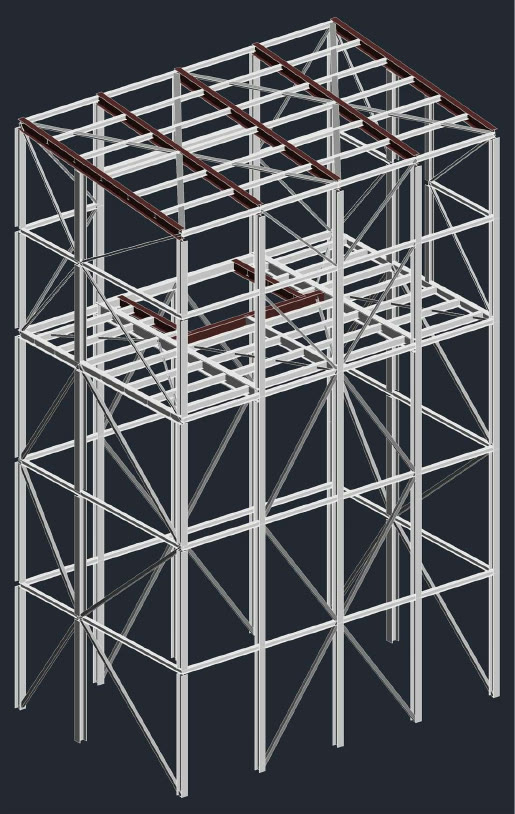
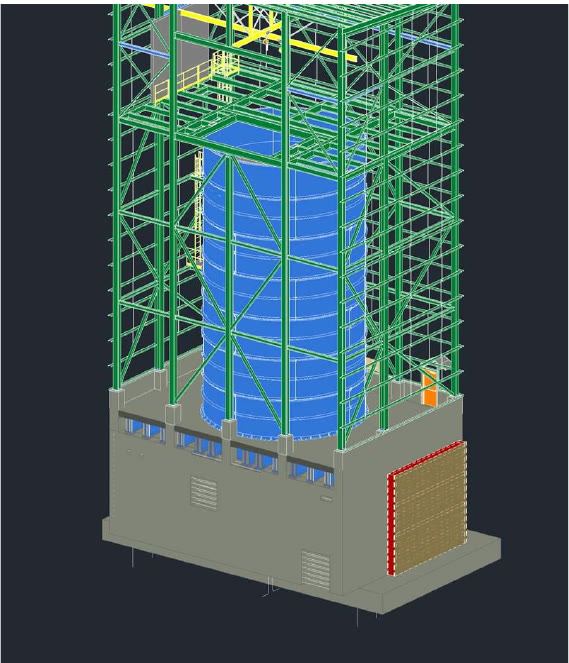
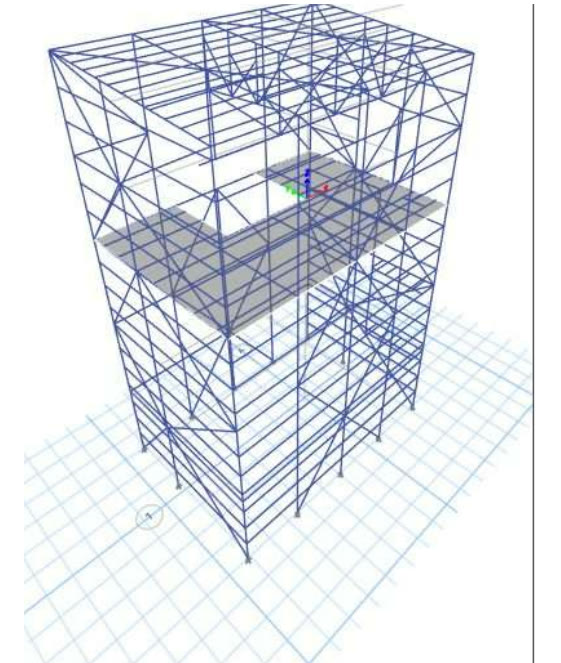
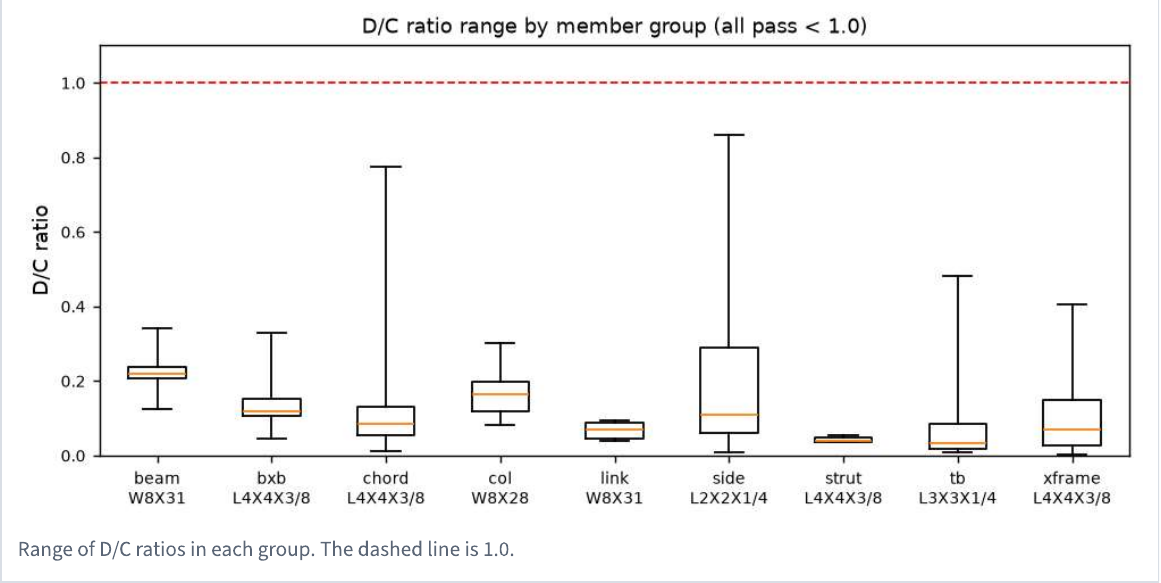
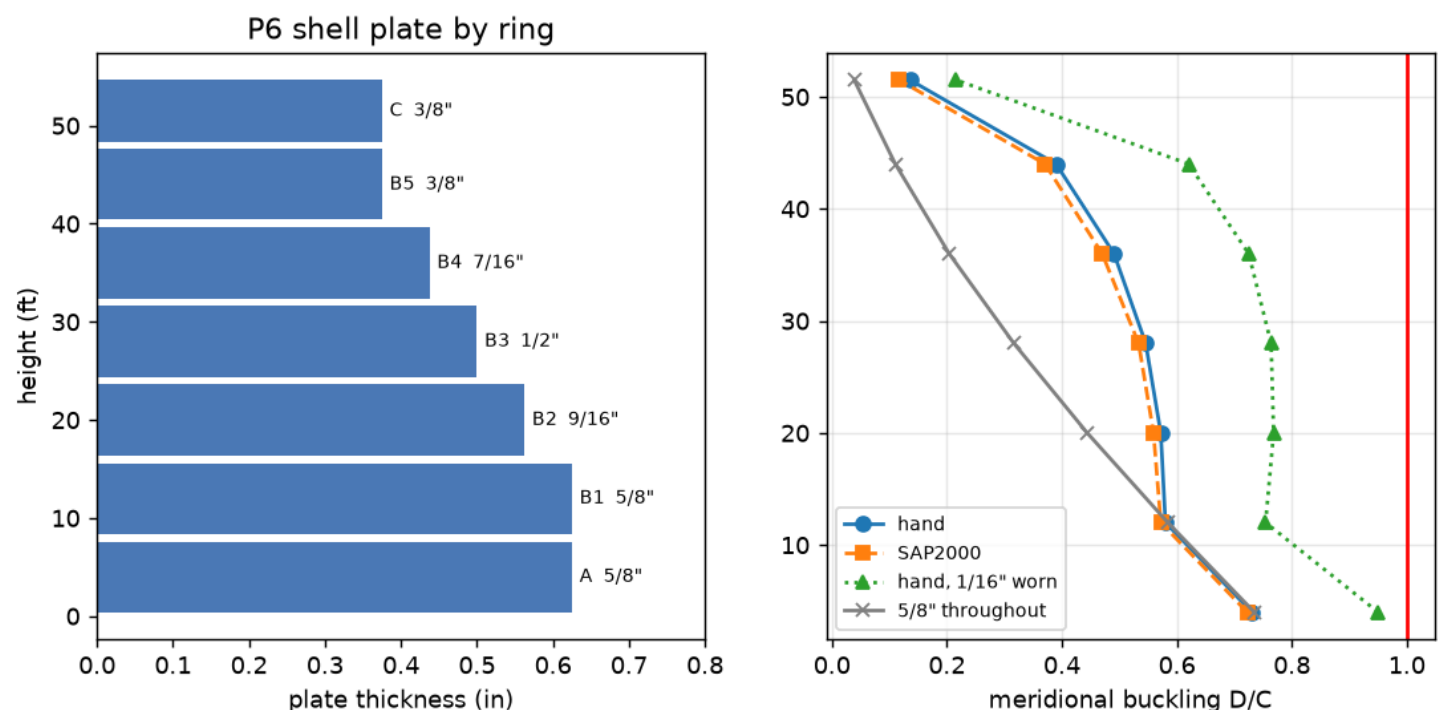
Excerpts from checks and reports Eva produced on real industrial projects, anonymized: verdicts first, every ratio shown, independent checks side by side.
Eva in action
Real screens, on real projects.
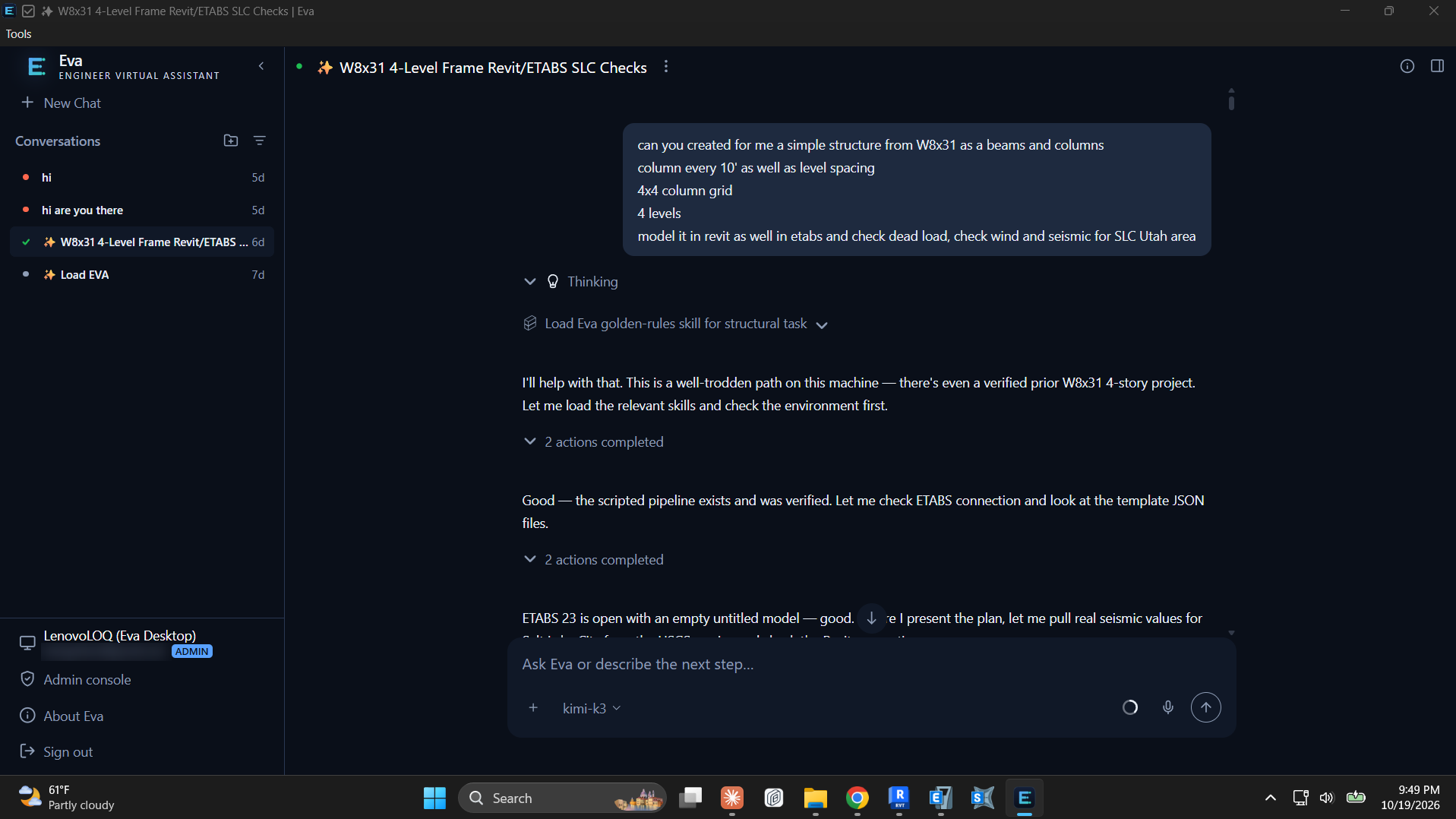
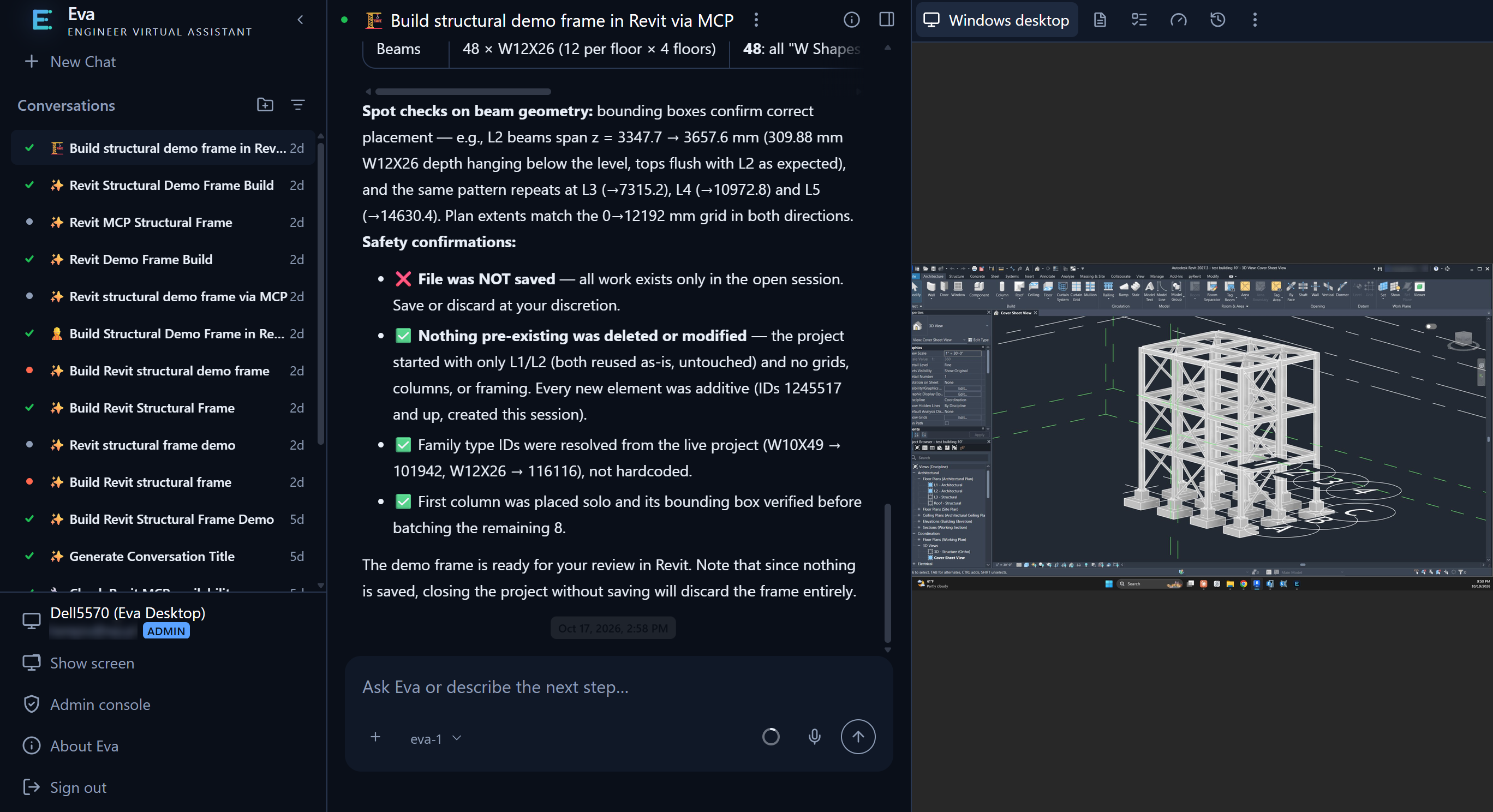
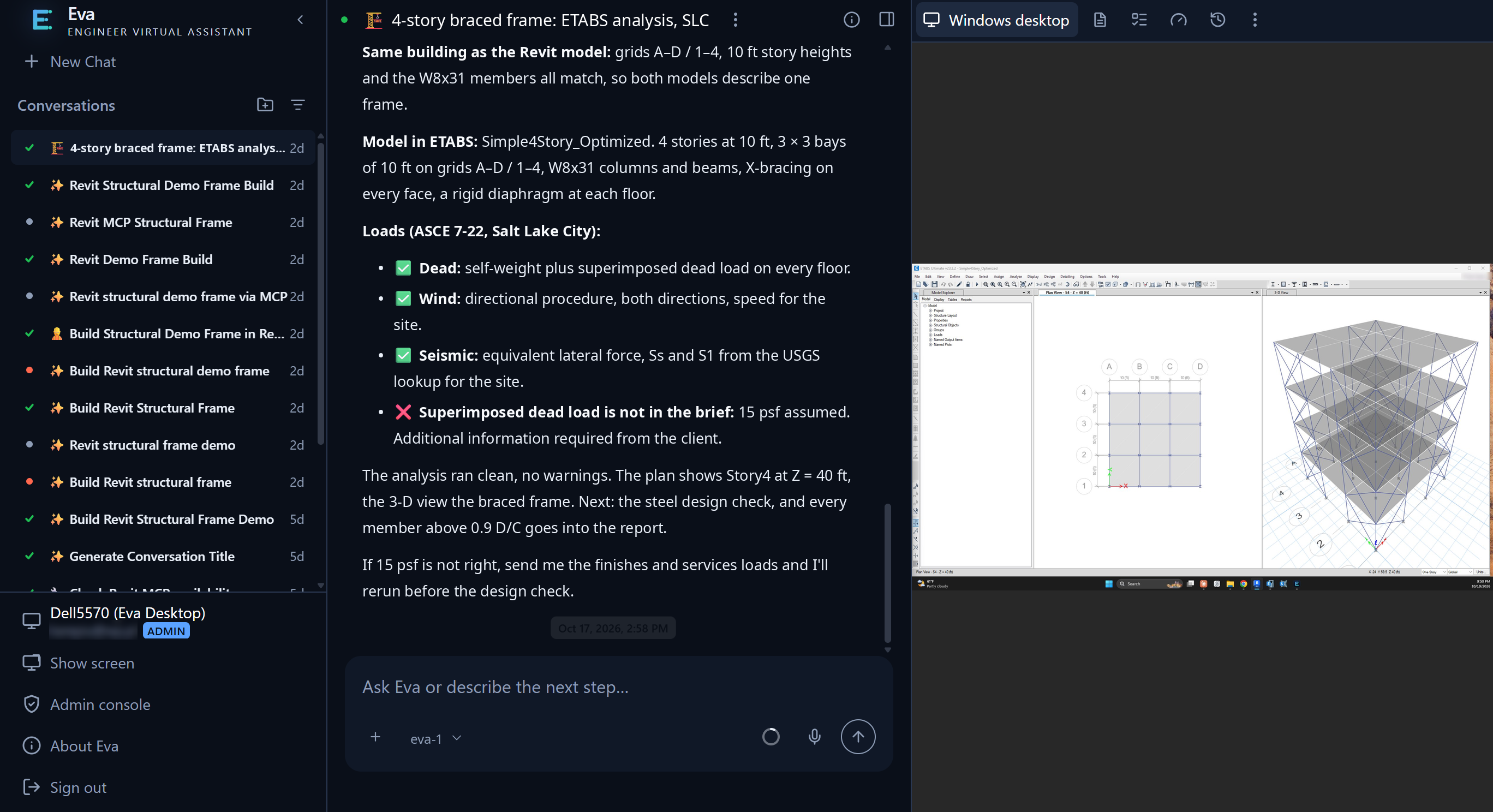
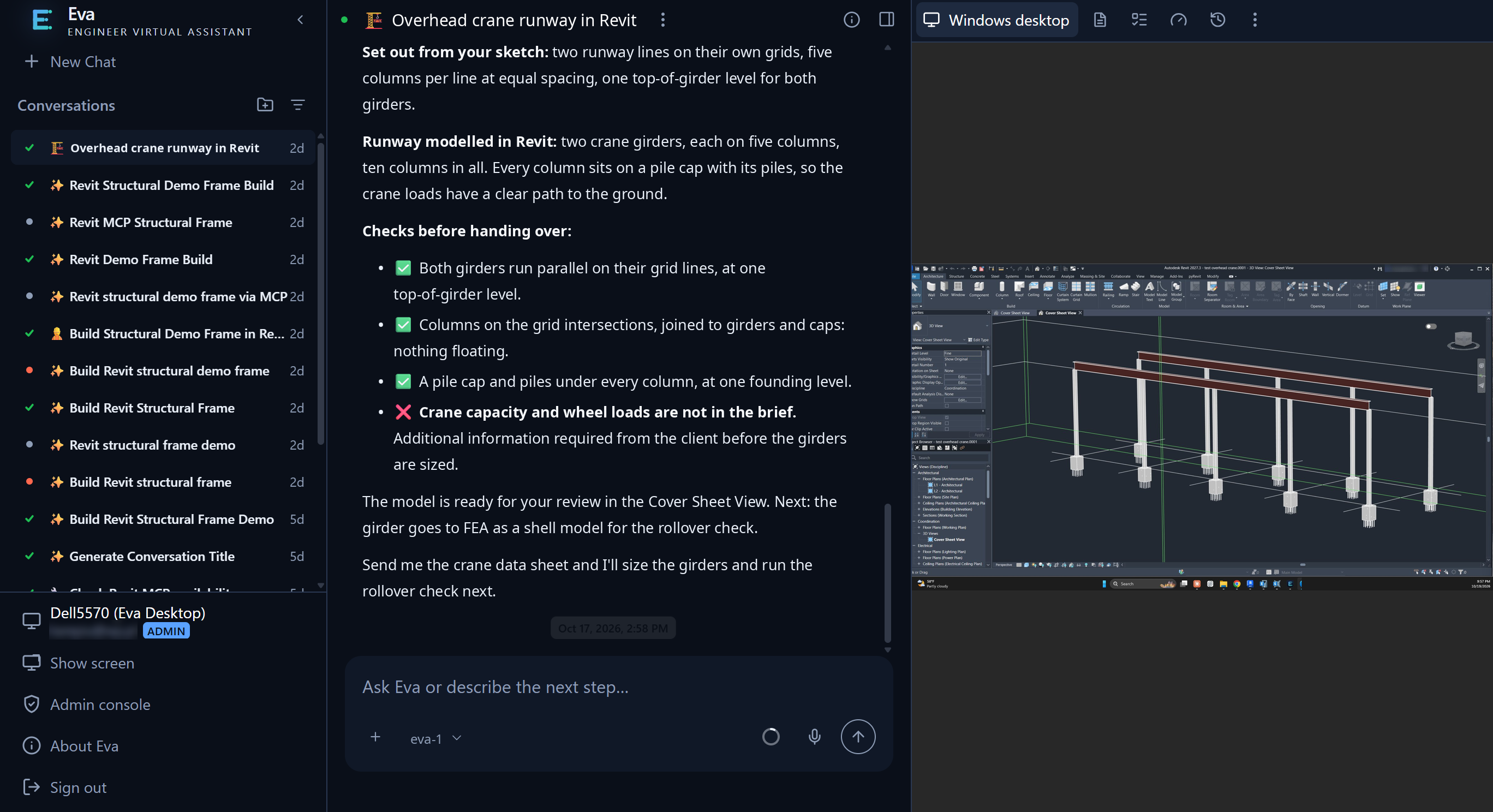
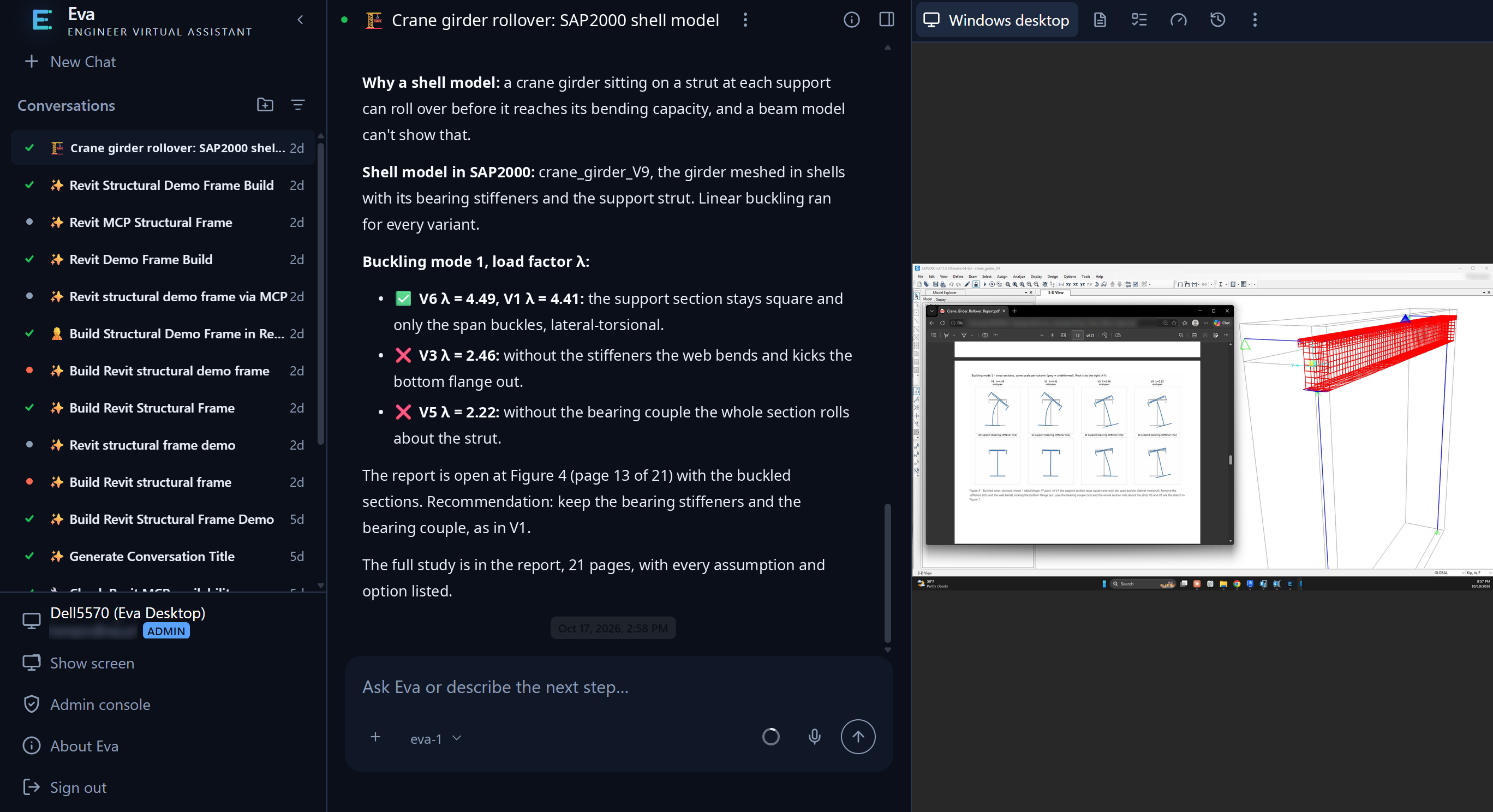
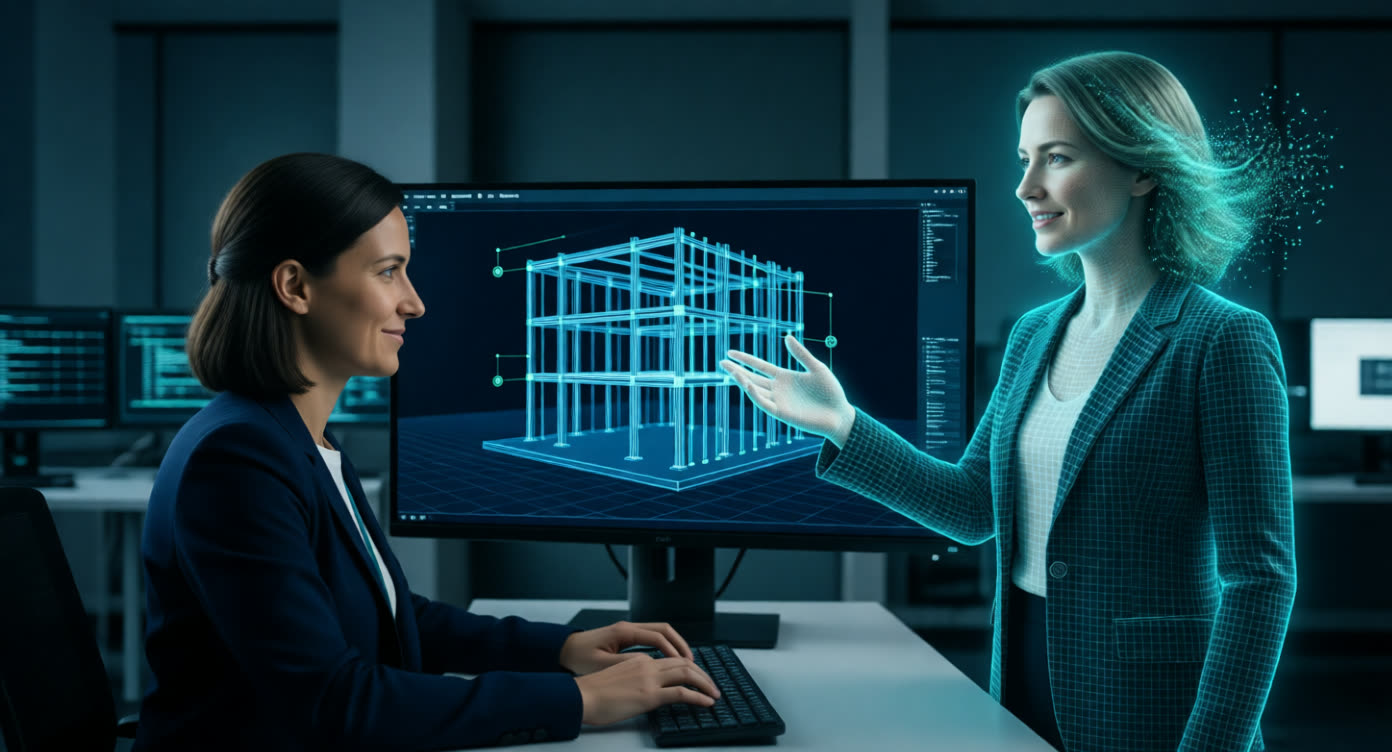
Captured from Eva in use, in both of its modes. In the browser, Eva works on a licensed Windows workstation that you watch live next to the chat. With Eva Desktop, it works right on the engineer's own PC, in the software they already have open.
Built for engineering firms
Fast, and fully accountable.
- The engineer approves. Eva proposes the design basis and decisions, and nothing is issued without sign-off.
- Sources for everything. Values trace back to the drawing or report they came from, and gaps are listed.
- Full project history. Every turn is saved as a version you can compare or restore.
- Your machines, your licences. Work runs on your Windows VMs or engineers' own PCs with Eva Desktop.
- Dedicated infrastructure. Eva is set on infrastructure dedicated to you and your firm.
- Admin control. Users, roles, reviewers, workstations and skills are managed in one console.
About Eva
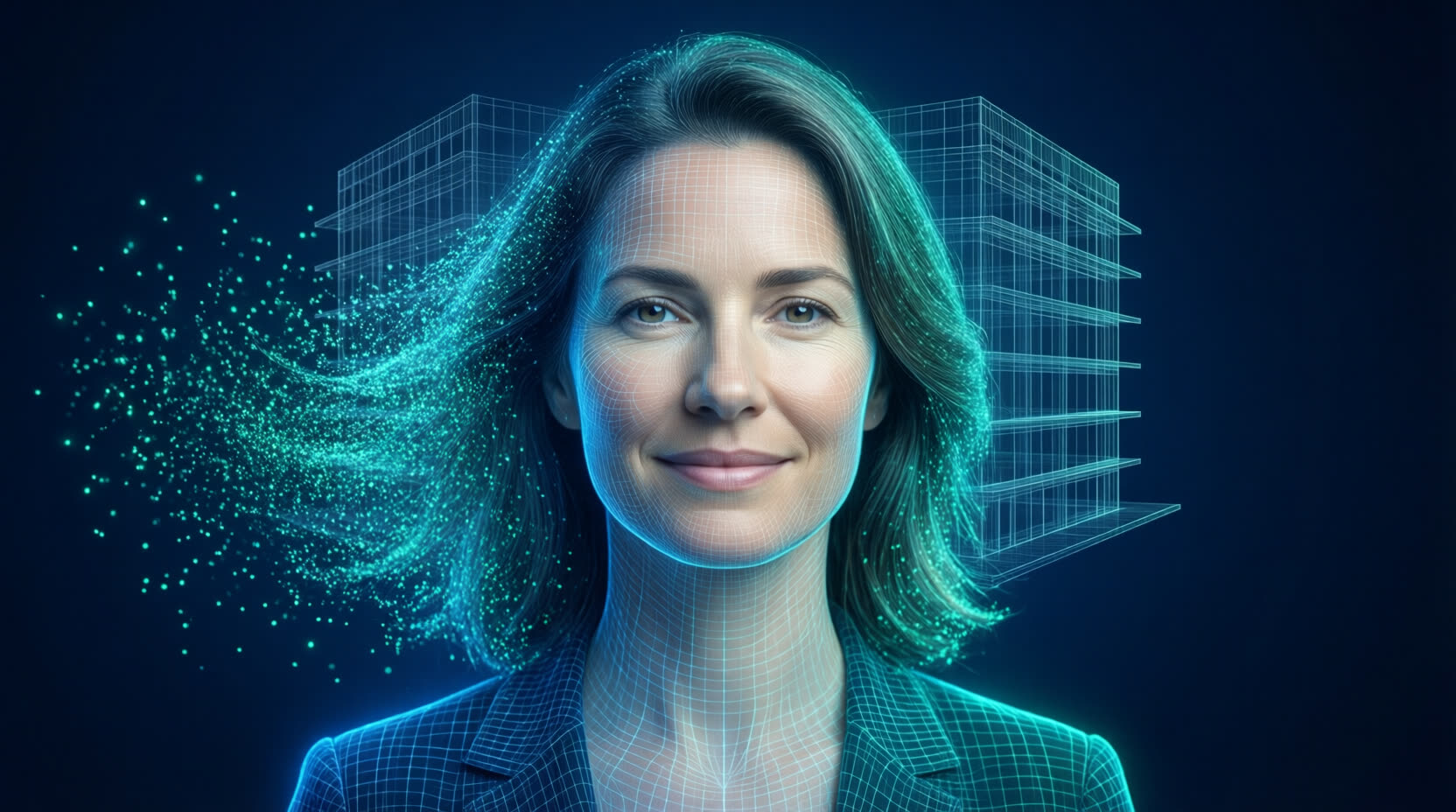
Eva is an AI, and she says so.
We gave Eva a face because she's a colleague your team talks to every day. She is not a person and never pretends to be one. She's the visible side of a system that does the heavy lifting so your engineers can do the engineering.
- Speaks plainly, sources everything, asks when unsure
- Remembers project decisions across conversations
- Works for your engineer, never around them
Savings calculator
What does the 10x engineer save you?
Enter the hires Eva lets you avoid and what they would cost you. Every field is editable.
Estimate of the hiring costs Eva lets you avoid. Recruiting, onboarding, desks and software seats are left out, so the real figure is higher. Talk to us about Eva.
Deployment
Fits the way your firm already works.
Workstations in your datacenter
One licensed Windows VM per engineer, with your BIM and FEA software and Eva's tool pack. Watch the desktop live in the browser.
Eva Desktop
Engineers on their own licensed PC install Eva Desktop and connect it with a single outbound link. No VPN needed.
One shared web app
Sign in with company accounts and roles for engineers, reviewers and admins. Projects, history and chat in one place.
Book a demo
Bring a project. Leave with a model.
In one session, watch Eva extract, model and analyse a real structure next to your engineer.